‹ The a-Paw family
Earner app

Care‑a‑Paw

Everything about your pet, in one place.

Live on Google Play On Google Play now, free to download: pets, health records, reminders, sharing, the vet summary, the story, birthdays and a one-tap lost alert. iPhone follows.

Vision

Every pet has a complete, shared record of its health and life, and every owner who cares for one helps a street animal too.

Mission

Make caring for a pet simple and shared: health records, reminders and memories in one app, with part of every subscription feeding street animals.

Why it exists

The main cash-flow app. Pet owners already pay for organisation and peace of mind; Care-a-Paw turns that into steady monthly income for the OneTailOneMeal truck.

Who it’s for: Dog and cat owners in Australia, the US and the UK first. Families and couples who share care. People who use sitters, kennels or dog walkers.

Inside the app

Real screens from Care‑a‑Paw

Shown with a sample dog, Biscuit. Every screen can wear one of seven regional skins.
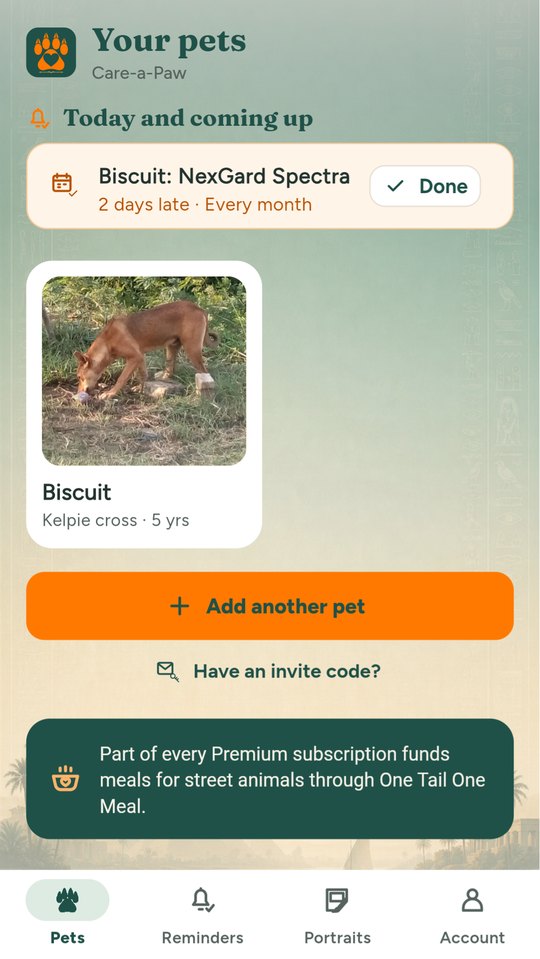
Your pets, birthdays and what is due
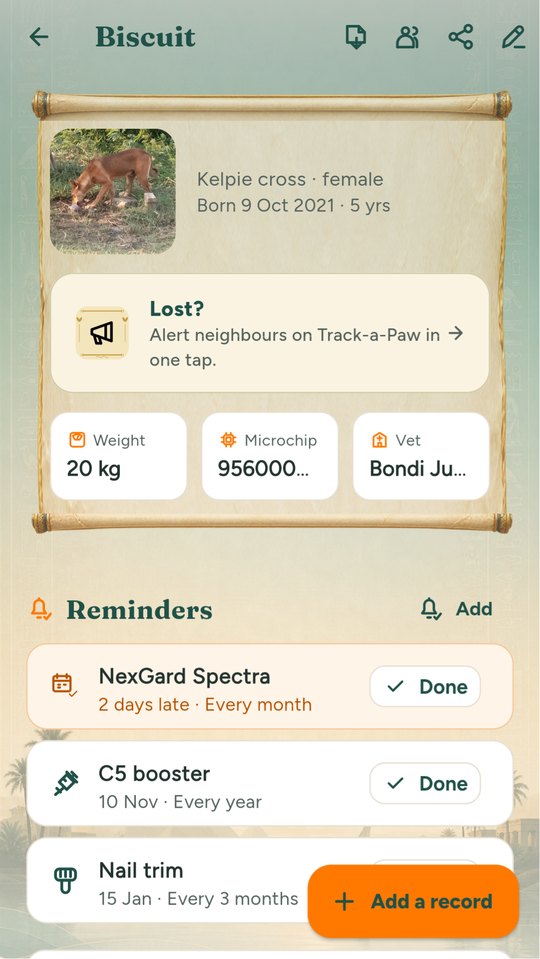
A pet's profile
A pet's profile
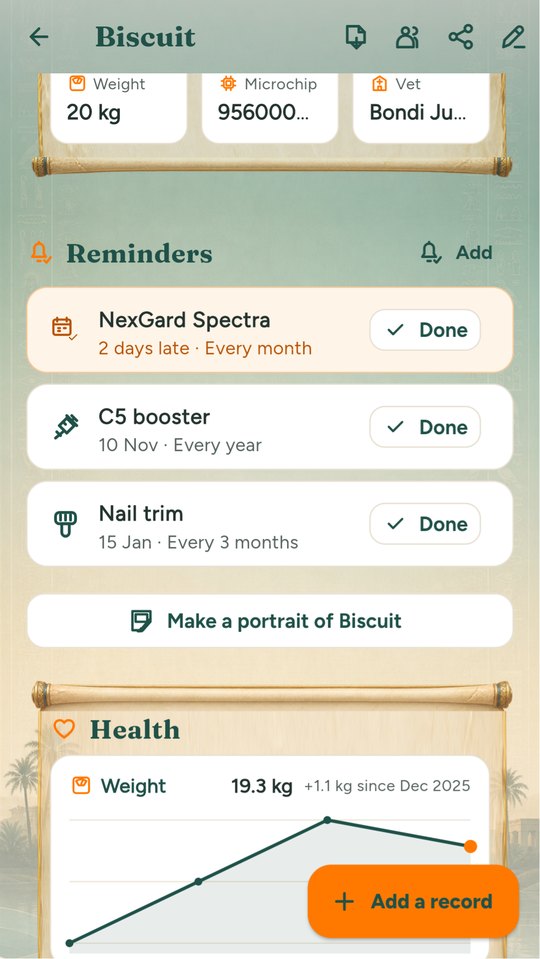
Weight chart and health history
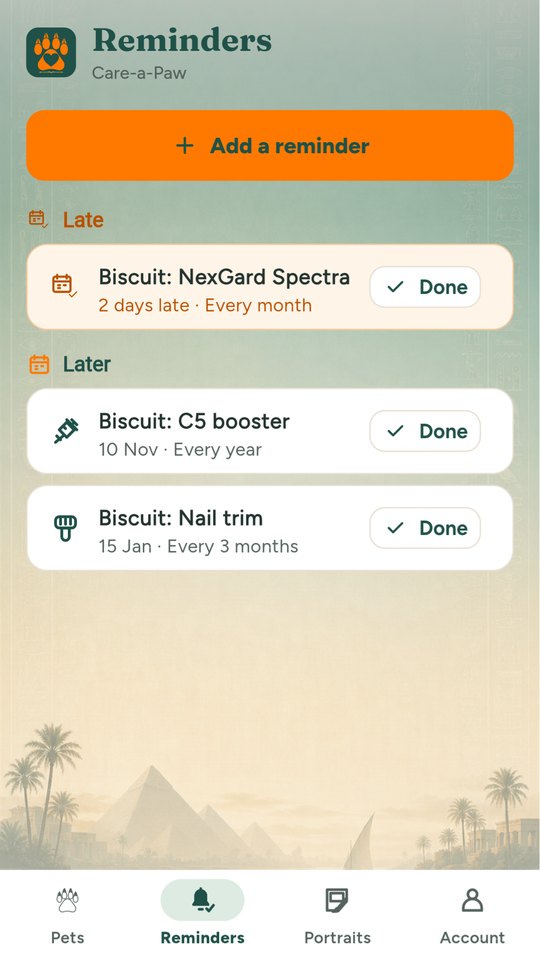
Reminders by week and month
Premium
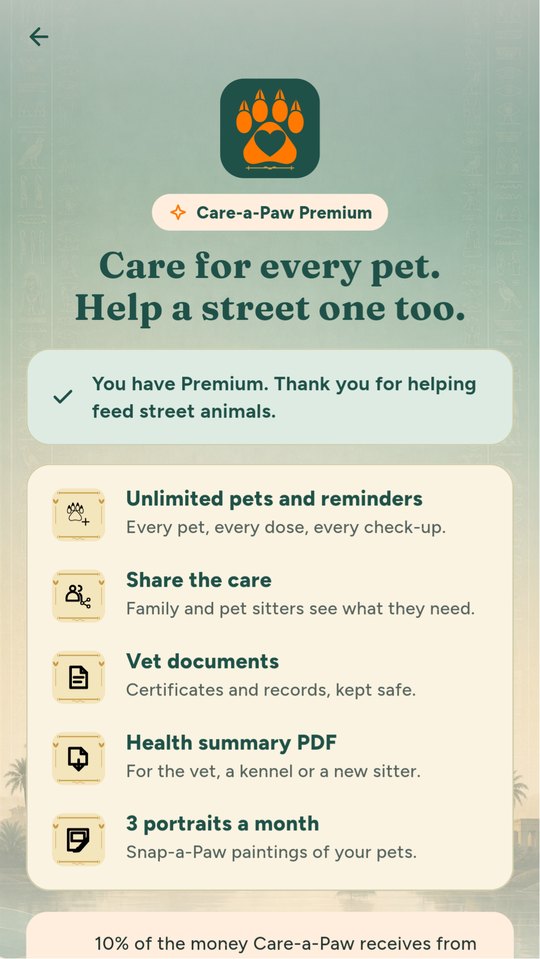
Premium
Built and working
  • Lost? One tap posts an alert on Track-a-Paw with your pet's photo, so neighbours can help
  • Reminders go into your phone's own calendar too, repeat included
  • Birthdays on the home screen, with a painted portrait to mark the day
  • A weight chart that shows the change at a glance
  • Look & feel: seven regional skins, from No Frills to Africa
What it does

Built around real days on the street and at home

Technology and AI

Where AI helps in Care‑a‑Paw

Every line says whether it works today, is coming soon, or is planned.

  • Coming soonPet portraits in painted styles (Snap-a-Paw inside the app).
  • PlannedPhotograph a vaccination certificate and have the record filled in for you to check.
Free

What everyone gets

  • 1 pet
  • Vaccinations, vet visits, medications, weight
  • Up to 3 reminders
  • 1 trial portrait (with logo)
Paid

What costs money

  • Premium A$6.99/month or A$49.99/year, 7-day free trial
  • Unlimited pets and reminders
  • Share with family and pet sitters
  • Store documents (vaccination certificates, microchip, insurance)
  • Health summary PDF for the vet or kennel
  • 3 Snap-a-Paw portraits a month, no logo

Prices are in Australian dollars and set by the store in other countries.

How it helps street animals

10% of Care-a-Paw's net revenue funds meals for street animals from day one, rising to 20% once the a-Paw apps together cover their running costs for three months in a row.

Portraits come from Snap-a-Paw. Lost pet button hands over to Track-a-Paw. Sitters can see records through Mind-a-Paw (owner's permission).

How the family funds meals

Help & support

Questions about Care‑a‑Paw

Getting started

  1. Download Care-a-Paw from Google Play (or try it in your browser) and create your free a-Paw account.
  2. Add your pet: a photo, name, kind and birthday. One pet is free; Premium adds more.
  3. Add records and reminders, such as vaccinations, flea treatment and tablets, and share the pet with family or a sitter.

Common questions

Will I get reminded?

Reminders show in the app and on your home screen today, and you can add any reminder to your phone’s calendar with one tap. Phone notifications are coming.

Can my partner or sitter see my pet?

Yes. Open the pet and tap Share. Choose whether they can add and edit records or only look.

What does Premium add?

More pets, unlimited reminders, document storage and three portraits a month. You can cancel any time in Google Play.

My pet is lost. What do I do?

Open the pet and tap Lost?. It posts an alert on Track-a-Paw with your pet’s photo, so neighbours can help.

How do I change my password or email, or delete my account?

In the app: Account, then Manage account. Or on the web at the a-Paw account page. Deleting removes your account and what you added, in every a-Paw app.

How do I contact you?

In the app: Account, then Contact support. A real person reads every message. Or email support@spot-a-paw.com.

‹ Previous

Adopt‑a‑Paw

All apps

The a-Paw family

Next ›

Track‑a‑Paw