‹ The a-Paw family
Earner app

Snap‑a‑Paw

Turn your pet into a work of art.

Live on Google Play On Google Play now, free to download with your first portrait free: the studio, seven styles, your gallery, wallpapers and portrait packs. iPhone follows.

Vision

Every pet gets its moment as art, and every portrait helps a street animal eat.

Mission

Beautiful AI portraits of pets in seconds, as images people share and prints they keep, with a share of every sale funding meals for street animals.

Why it exists

Impulse and gift income: fast to try, easy to share, so it also brings new people into the a-Paw family.

Who it’s for: Pet owners who love sharing their pet, people buying gifts, and people remembering a pet that has died.

Inside the app

Real screens from Snap‑a‑Paw

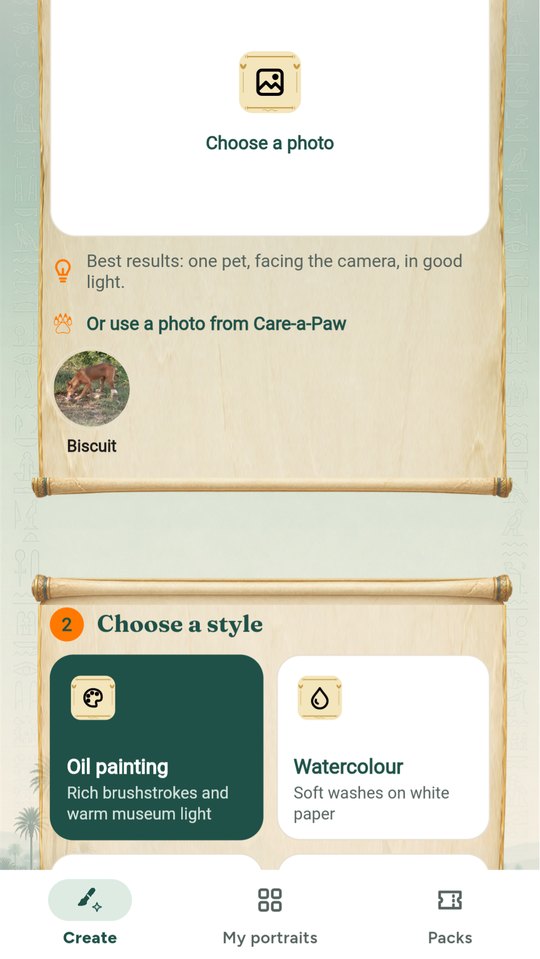
Shown with a sample dog, Biscuit. Every screen can wear one of seven regional skins.
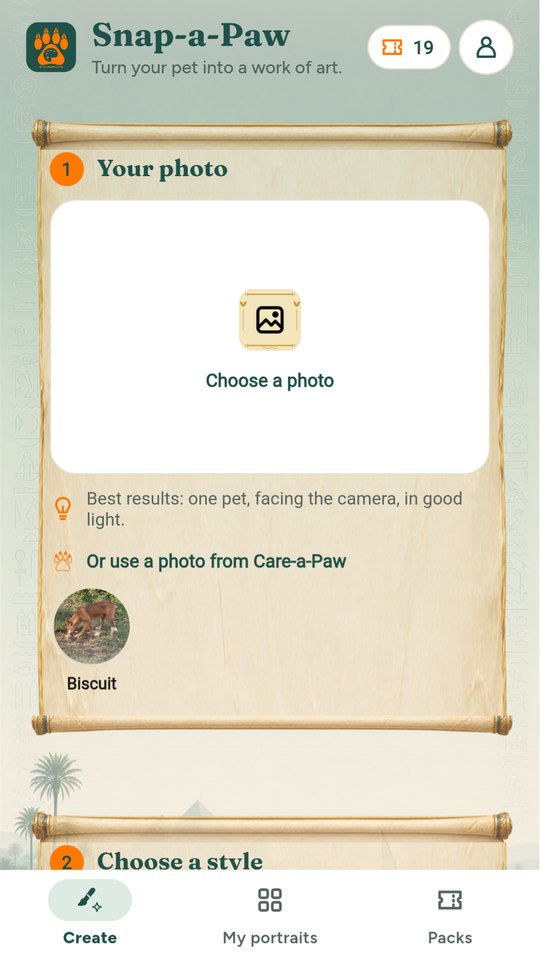
Use any photo, or one of your Care-a-Paw pets
Seven painted styles
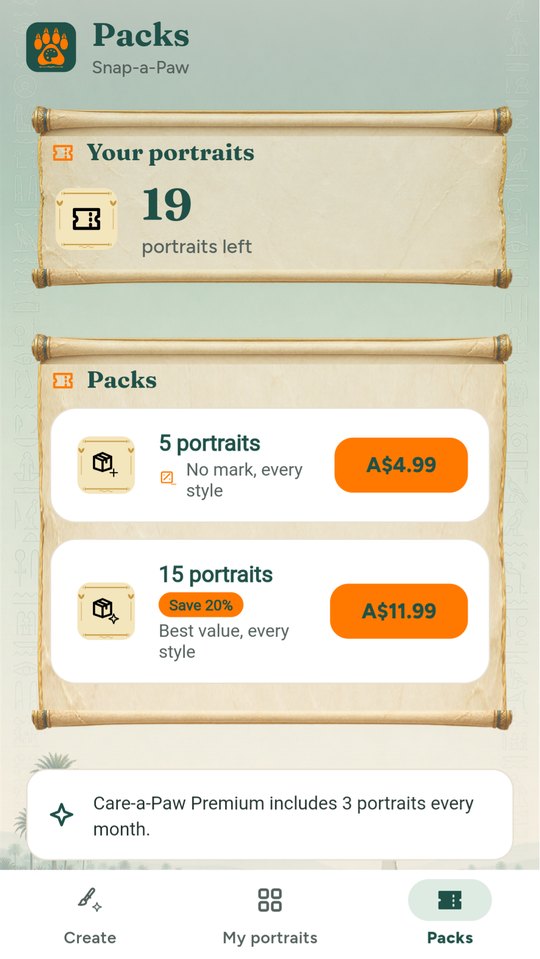
Portrait packs
Portrait packs
Built and working
  • Paint a pet straight from Care-a-Paw, and keep the portrait in its story
  • Save a portrait as a phone wallpaper in one tap
  • Your first portrait is free, with a small Snap-a-Paw mark; pack portraits have none
  • Delete any portrait or photo, for good
What it does

Built around real days on the street and at home

Technology and AI

Where AI helps in Snap‑a‑Paw

Every line says whether it works today, is coming soon, or is planned.

  • Coming soonTurns a pet photo into a portrait: oil, watercolour, royal, cartoon, pop art and a gentle memorial style.
  • Coming soonSafety checks on every upload: pets only, nothing unsafe, and people are never painted.
Free

What everyone gets

  • 1 free portrait (with small logo)
  • Browse all styles
Paid

What costs money

  • Packs: 5 portraits A$4.99, 15 portraits A$11.99
  • Premium styles (royal, oil, seasonal) inside packs
  • Prints: canvas, framed print, mug (via print-on-demand, sold on the website)
  • Gift cards (website)
  • Care-a-Paw Premium includes 3 portraits a month

Prices are in Australian dollars and set by the store in other countries.

How it helps street animals

10% of Snap-a-Paw's net revenue funds meals for street animals from day one, rising to 20% once the a-Paw apps together cover their running costs for three months in a row.

Built as a feature inside Care-a-Paw first, then released as its own app using the same engine.

How the family funds meals

Help & support

Questions about Snap‑a‑Paw

Getting started

  1. Download Snap-a-Paw from Google Play (or try it in your browser) and sign in with your a-Paw account.
  2. Choose a clear photo of one pet facing the camera, or use a photo from Care-a-Paw.
  3. Pick a style and tap Paint my portrait. It takes about a minute. Save it, share it or make it your wallpaper.

Common questions

Is the first portrait free?

Yes, with a small Snap-a-Paw mark. Portrait packs (5 or 15) have no mark and work in every style.

A portrait looks wrong or offensive.

Portraits are painted by AI. Open it and tap Report, and we’ll look at it. If a portrait can’t be made, your credit comes back.

I bought a pack but don’t see it.

Open Packs and tap Restore purchases, and make sure you’re signed in with the same a-Paw account.

How do I change my password or email, or delete my account?

In the app: Account, then Manage account. Or on the web at the a-Paw account page. Deleting removes your account and what you added, in every a-Paw app.

How do I contact you?

In the app: Account, then Contact support. A real person reads every message. Or email support@spot-a-paw.com.

‹ Previous

Track‑a‑Paw

All apps

The a-Paw family

Next ›

Mind‑a‑Paw